WhySynth ControllerPart 1 - Introduction
Motivation
Software synthesis and mixing 'in the box' has made music production cheaper and more accessible than ever before. However, the typical computer interfaces of mouse, keyboard and monitor are poorly suited to the job of controlling a mixer or synthesizer in real-time.
When it comes to mixing, there are a variety dedicated mix controllers available. Controlling synthesizers is a different matter. Although many generic midi controllers are available, a problem arises when one tries to use these with software synthesizers. The GUI presented by the synth often bears no resemblance to the grid-like layout typically employed in these controllers. There are, of course, exceptions to this rule. Korg's legacy collection, with its MS20 hardware controller and Native Instrument's Maschine and Kore interfaces come to mind, as do a variety of DJ/Turntable oriented interfaces. However, the vast majority of software synthesizers still need to be controlled with either a mouse or a generic set of controls. This controller seeks to solve this problem by presenting an intuitive, hands-on experience when using a software synthesizer.
The Engine
So which soft synth did I choose to base it on? I wanted something with an open source license, for 2 reasons:
- Anything I create with it will still be playable in the future, regardless of availability or support.
- I (and others) can freely add features and fix bugs.
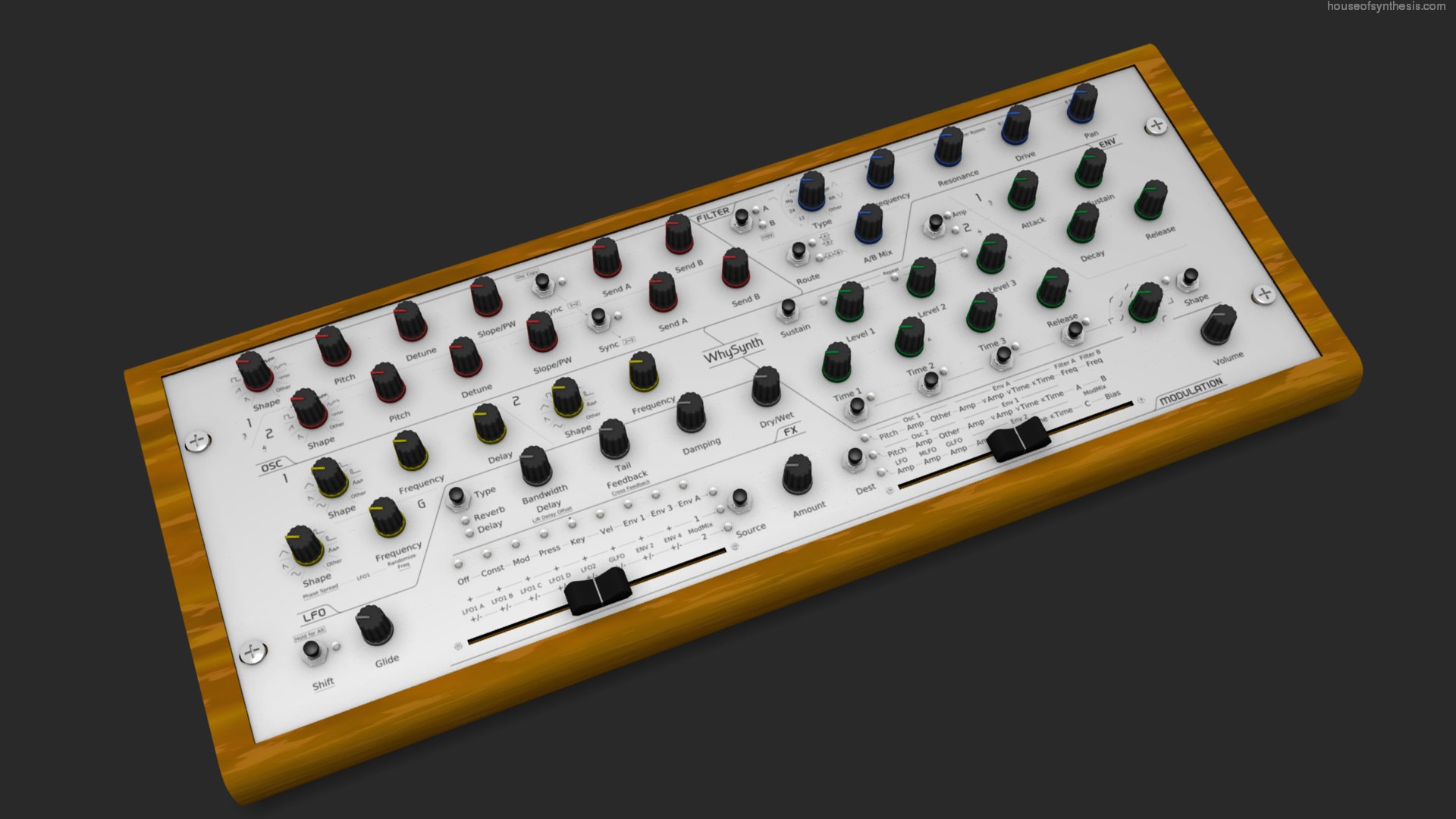
In light of these requirements, I chose WhySynth. As mentioned on it's web page, the GUI is rather dull. This is a shame as the synthesis engine behind it is really quite versatile, equal to and in some cases better than commercial synthesizers. So hopefully I can rectify this problem, at least in hardware, by giving it a tweakable, hands-on physical interface. The 3D model that I've created may also help to improve the GUI at some stage.
Since I want to keep this introduction relatively short, I'll give more detail in later posts. Here's a list of what's still to come:
- The design process
- WhySynth's architecture
- How the controller talks to WhySynth
- The mapping between the hardware controls and WhySynth's controls (there's too many to replicate all of them in hardware)
- The construction process
- Controllers for other synths and plugins (suggestions welcome)
- Some more ambitious ideas for interfaces that aren't currently available in hardware form
A few quick parting notes:
- It may be possible to squeeze in a Mini-ITX motherboard inside the case for a complete standalone instrument. (although the case would need to be somewhat deeper)
- The front panel is actually 19 inches wide, and those big ugly screws on either side are rack mounting screws. This adds a degree of flexibility when mounting the controller externally and when swapping out the panel with different designs.
For those from Livid Instruments
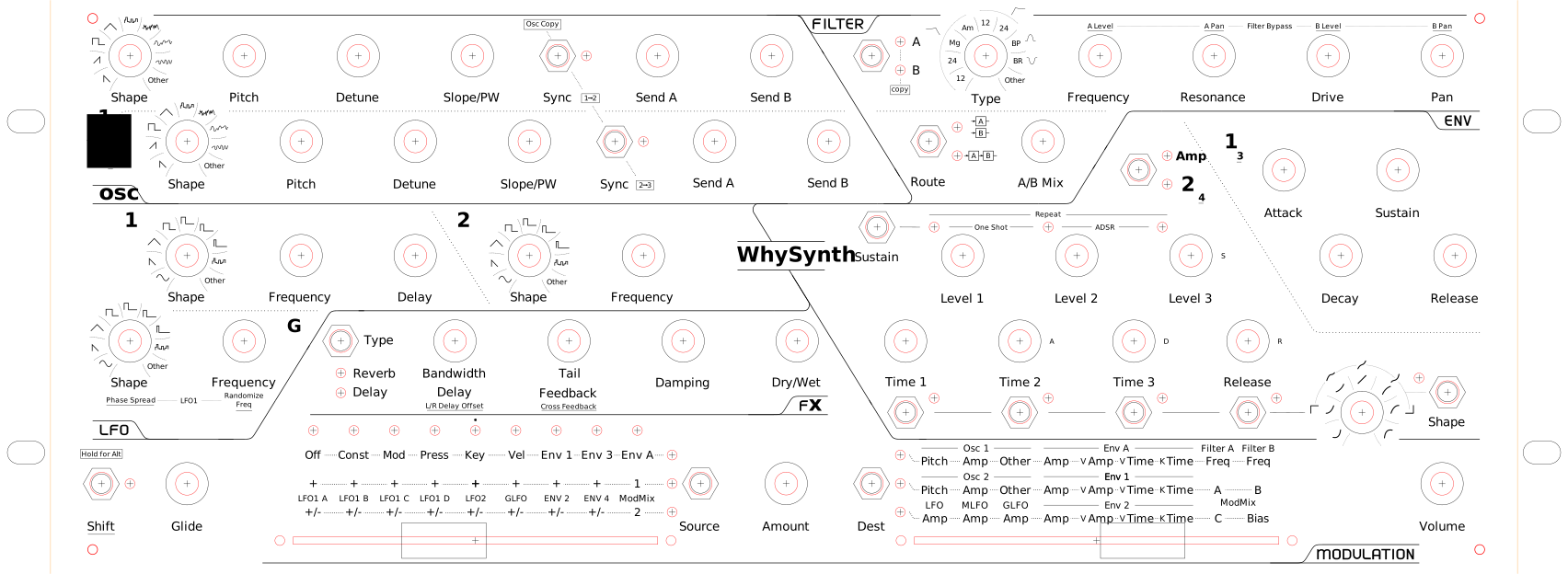
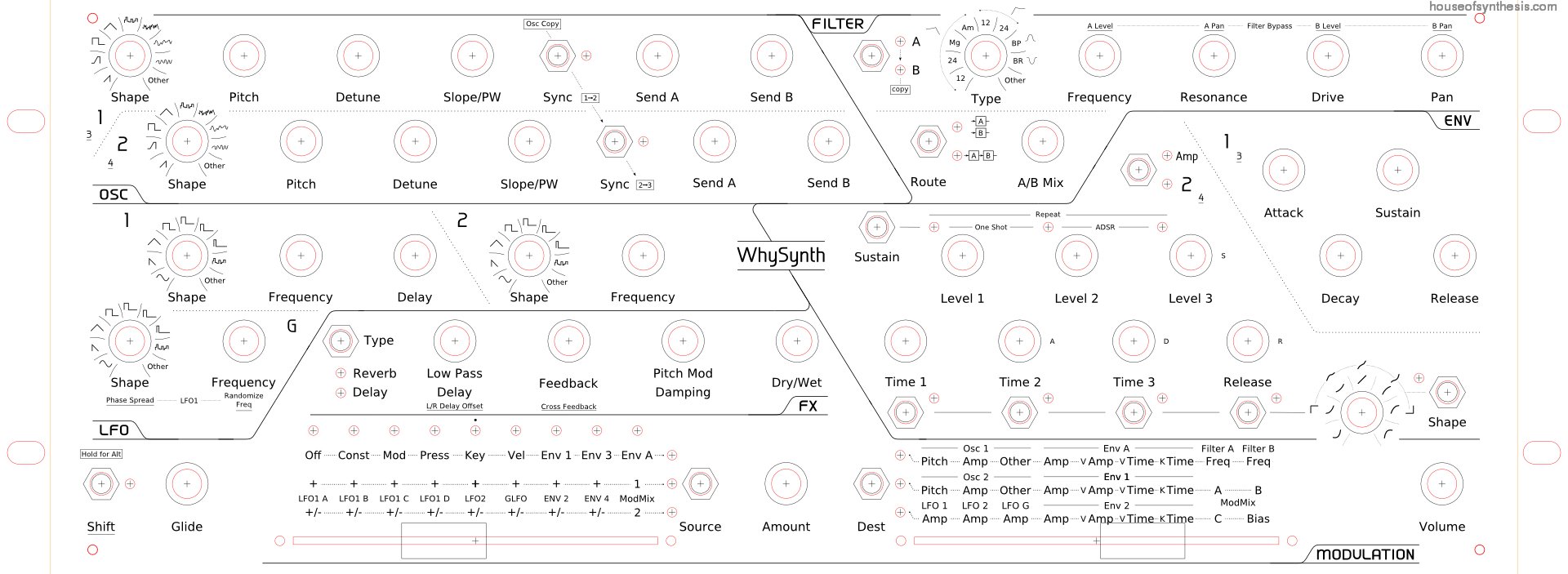
For anyone coming here from Livid Instruments, this controller is my entry in the Design Your Own Controller Contest. Here is the source drawing. Since it probably wont render correctly without the right fonts, you can look at the exported panel graphics used for the renders, or just a top-down view:
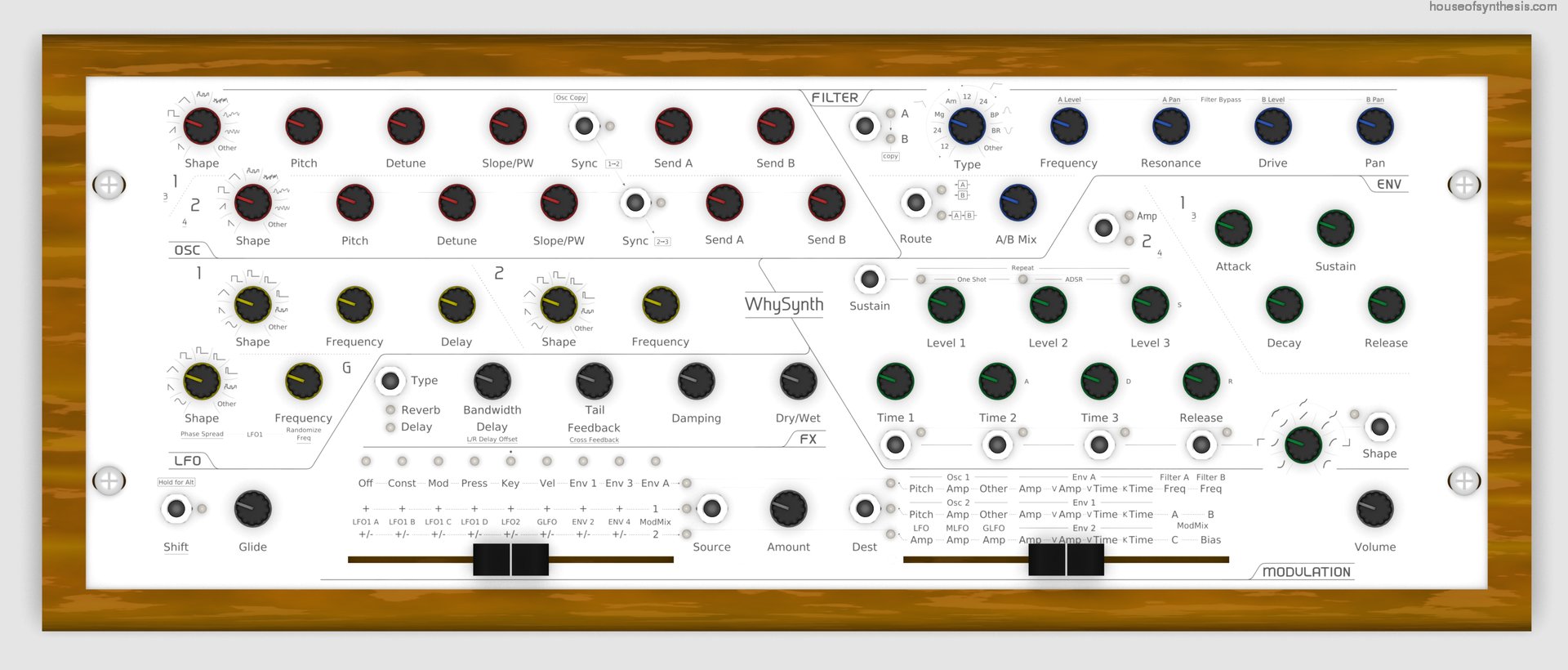
All the controls are currently panel mount (that I'll supply myself) for reasons to be explained in a future post, but I could do a layout that uses Livid components if required. Enable javascript to view my contact details. or Leave a comment if you've got any questions or suggestions.
Update: Turns out it's pretty easy to do a black version:
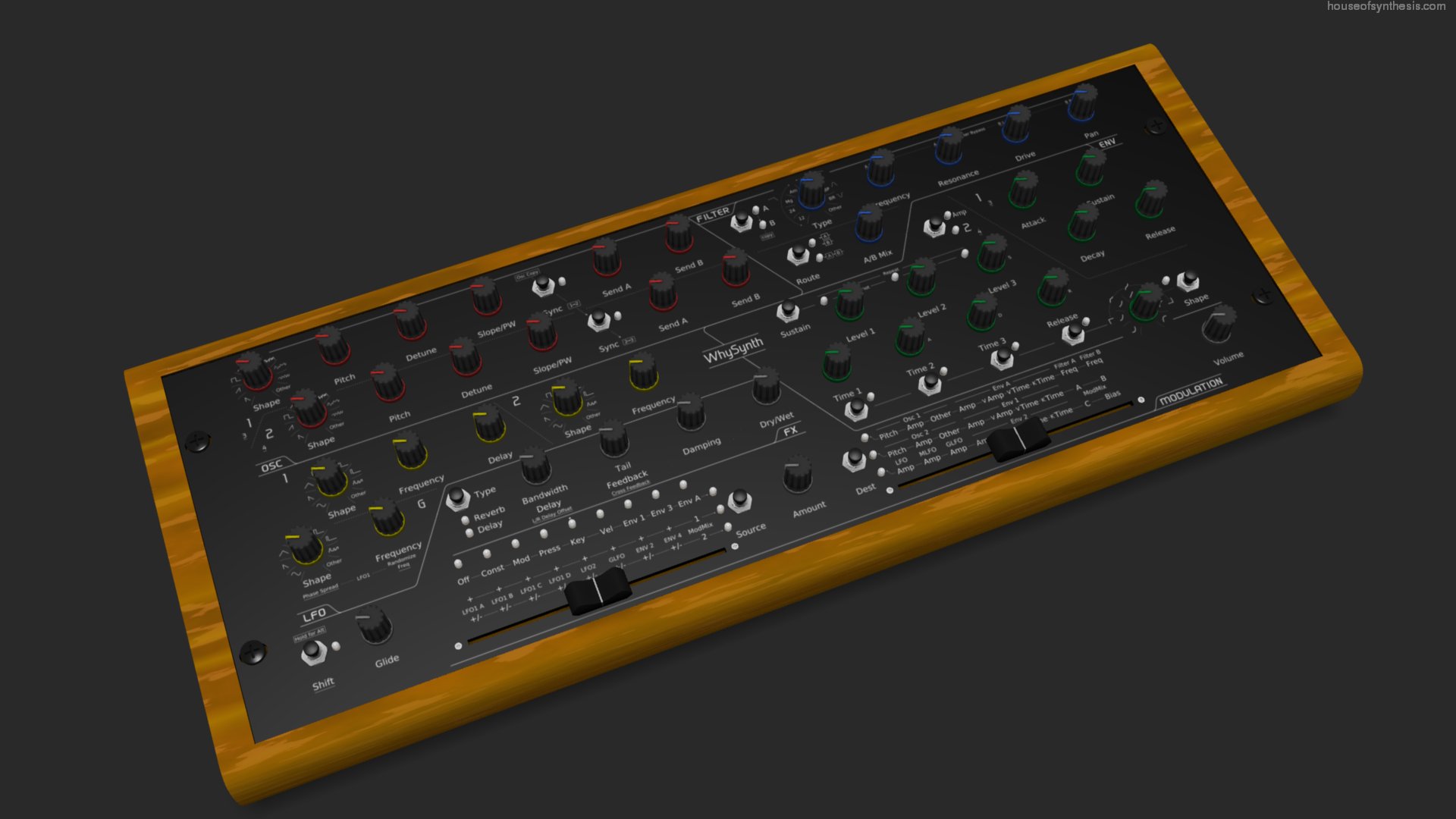
Which do you prefer?
blog comments powered by Disqus